¶ only one SIM-wan interface config
Configuring ACE with only single sim which provide ipv6 ip address
¶ Network config
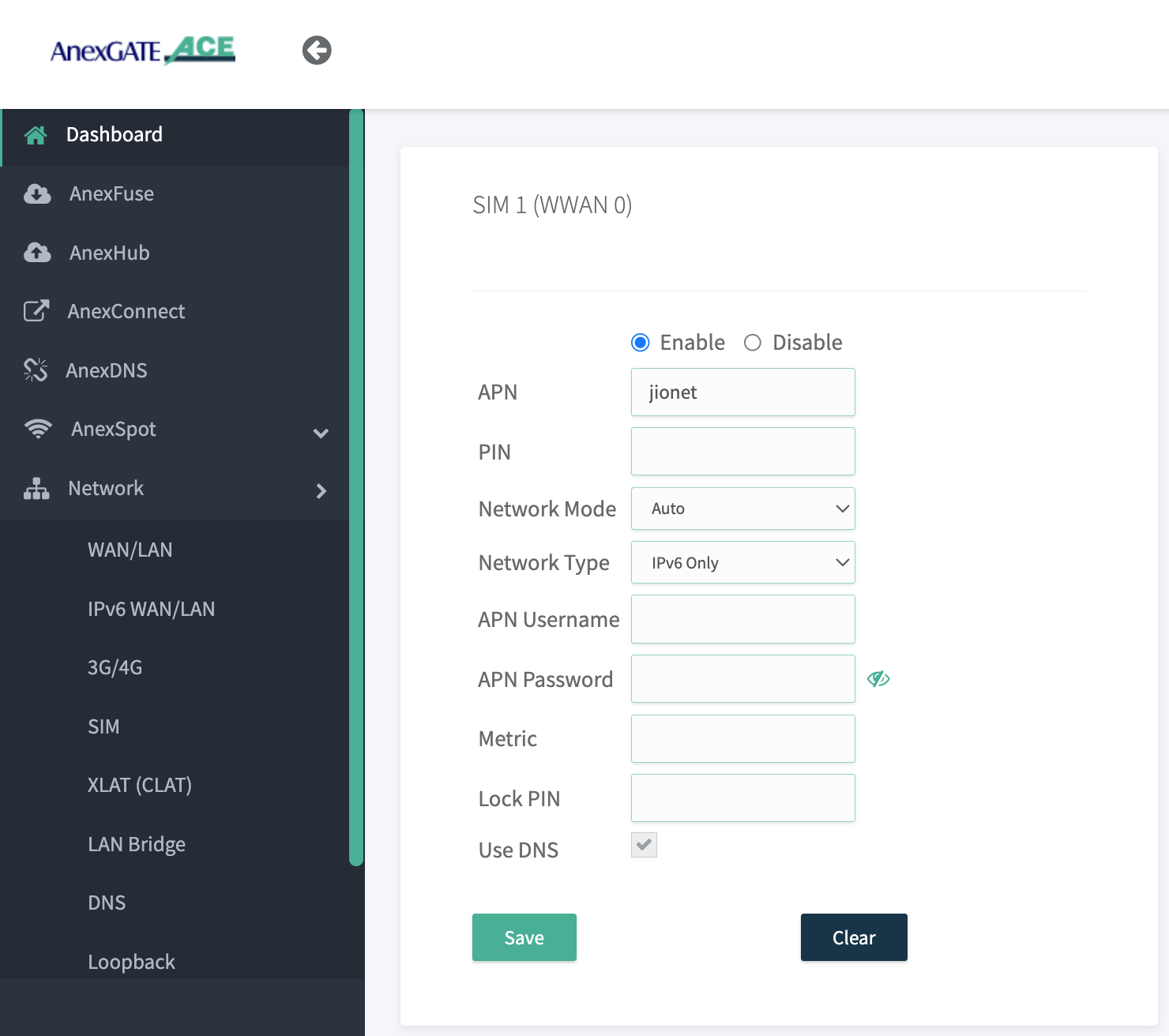
Disable all wan interface , enable only sim interface with respective Network typer
there is 3 typer of network type selection option are there
1.IPv4 only
2. IPv6 only
3. IPv4+IPv6 DS
you can chose any one option above accordingly to your requirement , if sim give both ipv4 and ipv6 then select ipv4+ipv6, if sim gives only ipv6 then select only ipv6 and save the config , you can select use DNS
------------------------------------------------------------------------------------------------------------------------
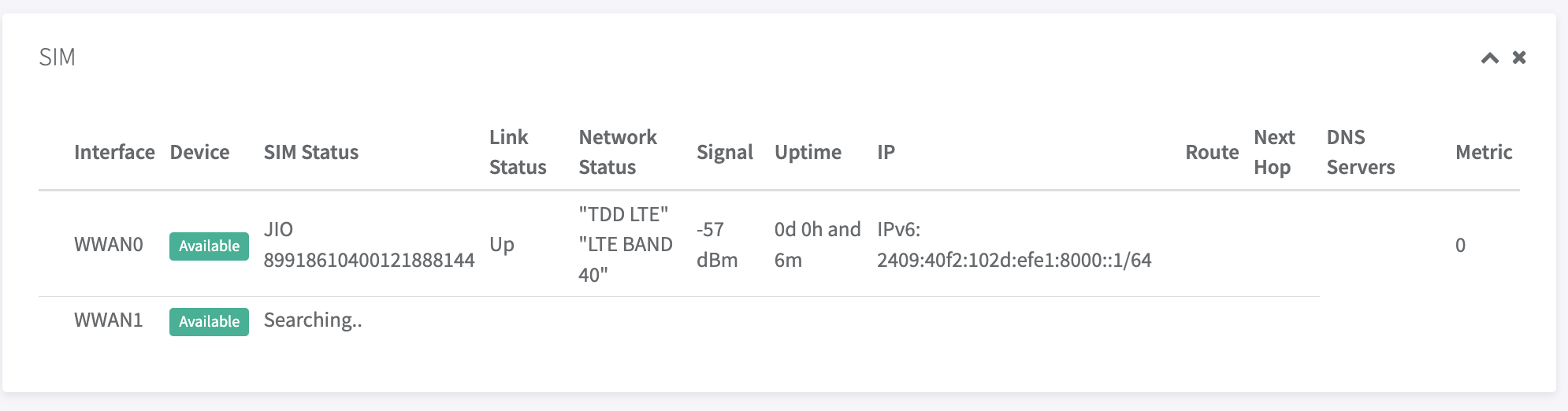
after config you will get all IPV6 and sim details on dash board
-------------------------------------------------------------------------------------
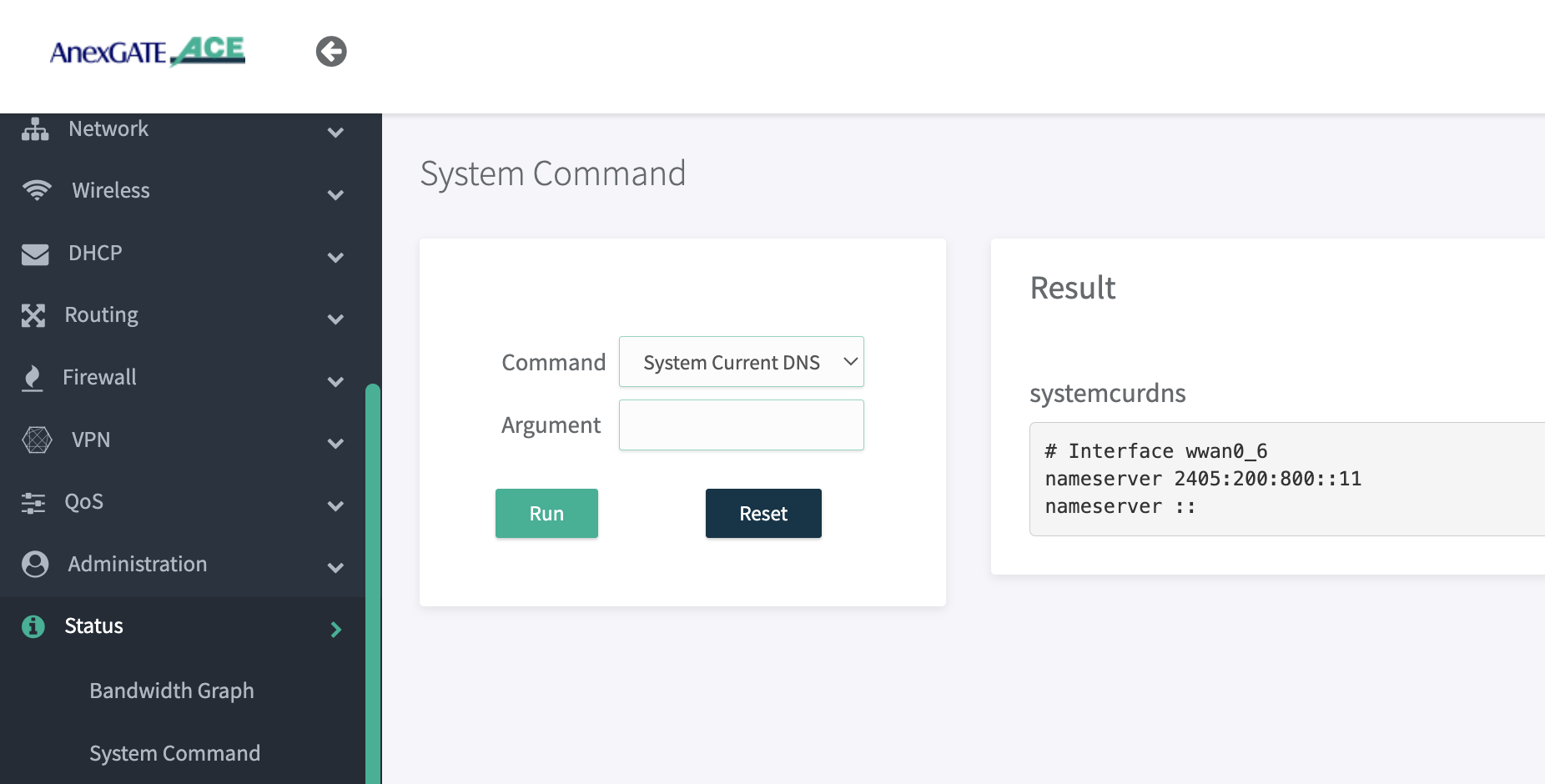
one you done then go to Status > System Command > System current DNS , if you getting ipv6 dns then no issue ,
else you not getting any DNS then disable sim ones and enable with select DNS on network config then you will get DNS
------------------------------------------------------
CLANT config
ones you done Make config CLAT: The source address/port is translated from Ipv4/port1 to Ipv6/port1. However, the payload does not contain IP or port information, Note:-make sure that PLAT should be enable at Internet provide side then only clat interface will create in ACE
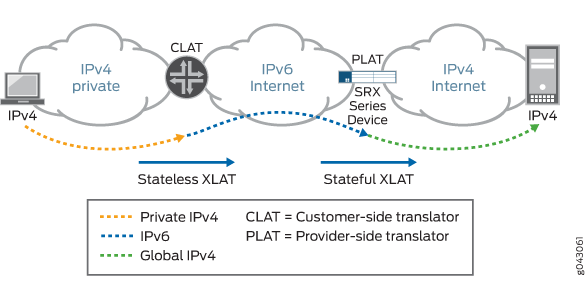
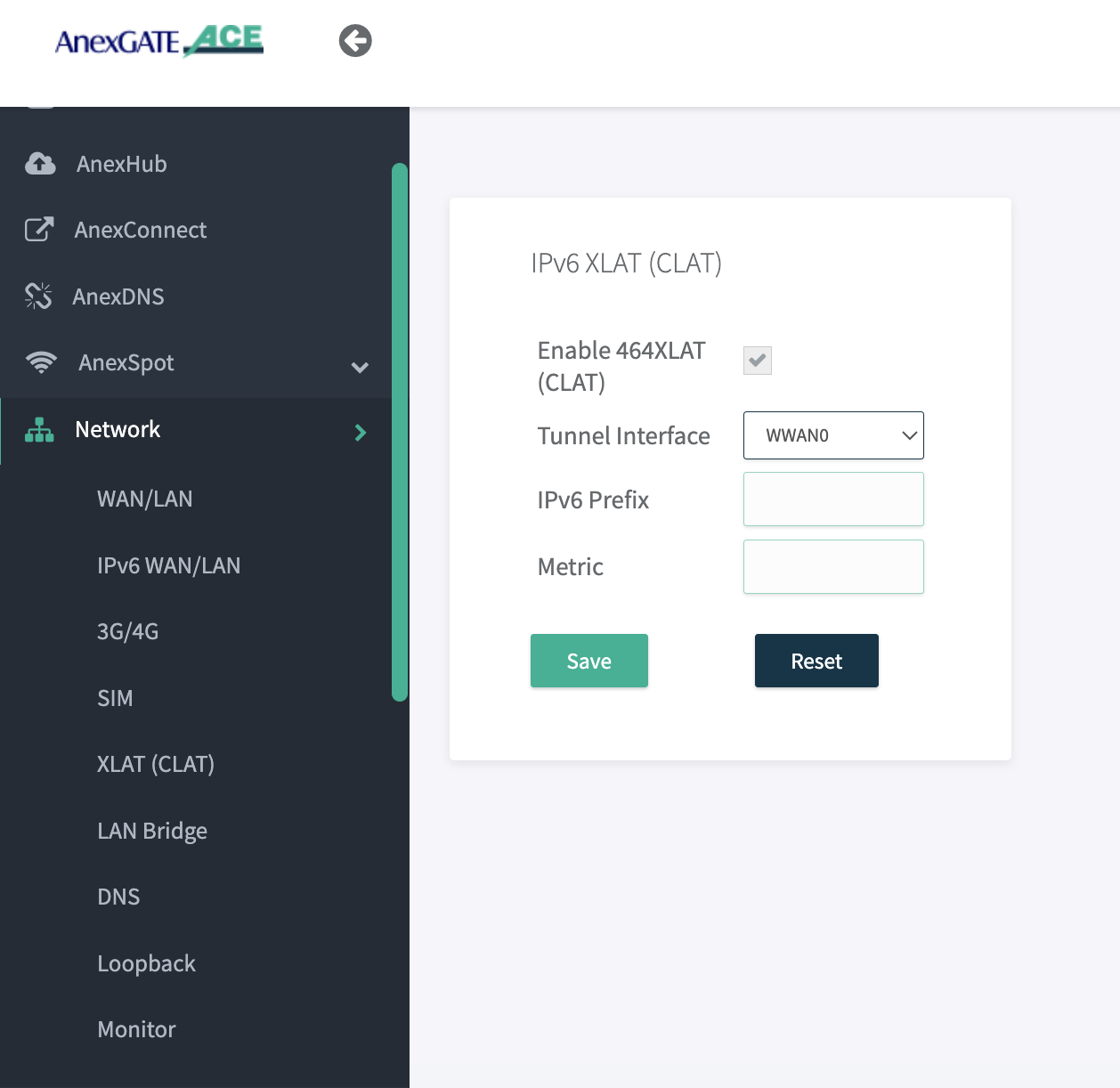
config CLAT in ACE go to Network > XLAT (CLAT) > enable 464xlat and select respective interface config are shown bellow
----------------------------------------------------------------------------------
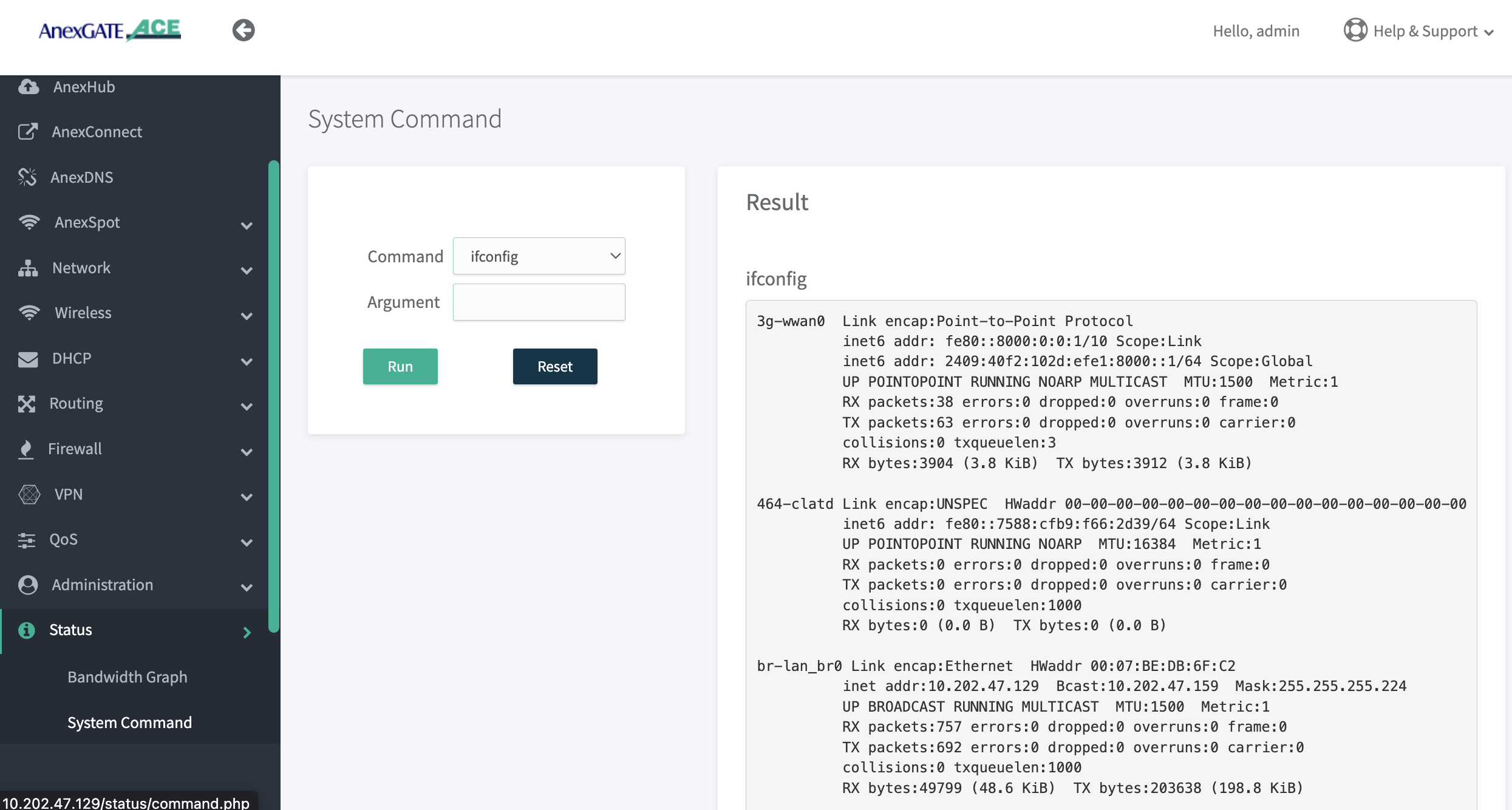
ones config done go to status > system config > selcect command “”ifconfig" RUN you will see 464-clatd interface , and WWAN0 interface with IPV6 address then you will confirm that WWAN0 is up and clat created properly
if you are not getting IPV6 address with sim interface (Ex. wwan0) then reboot device ones and check
If you not getting 464-clatd interface then go to Administration > Services > restart Networking , then you will get 464-clatd config
--------------------------------------------------------------------------------------
¶ firewall config
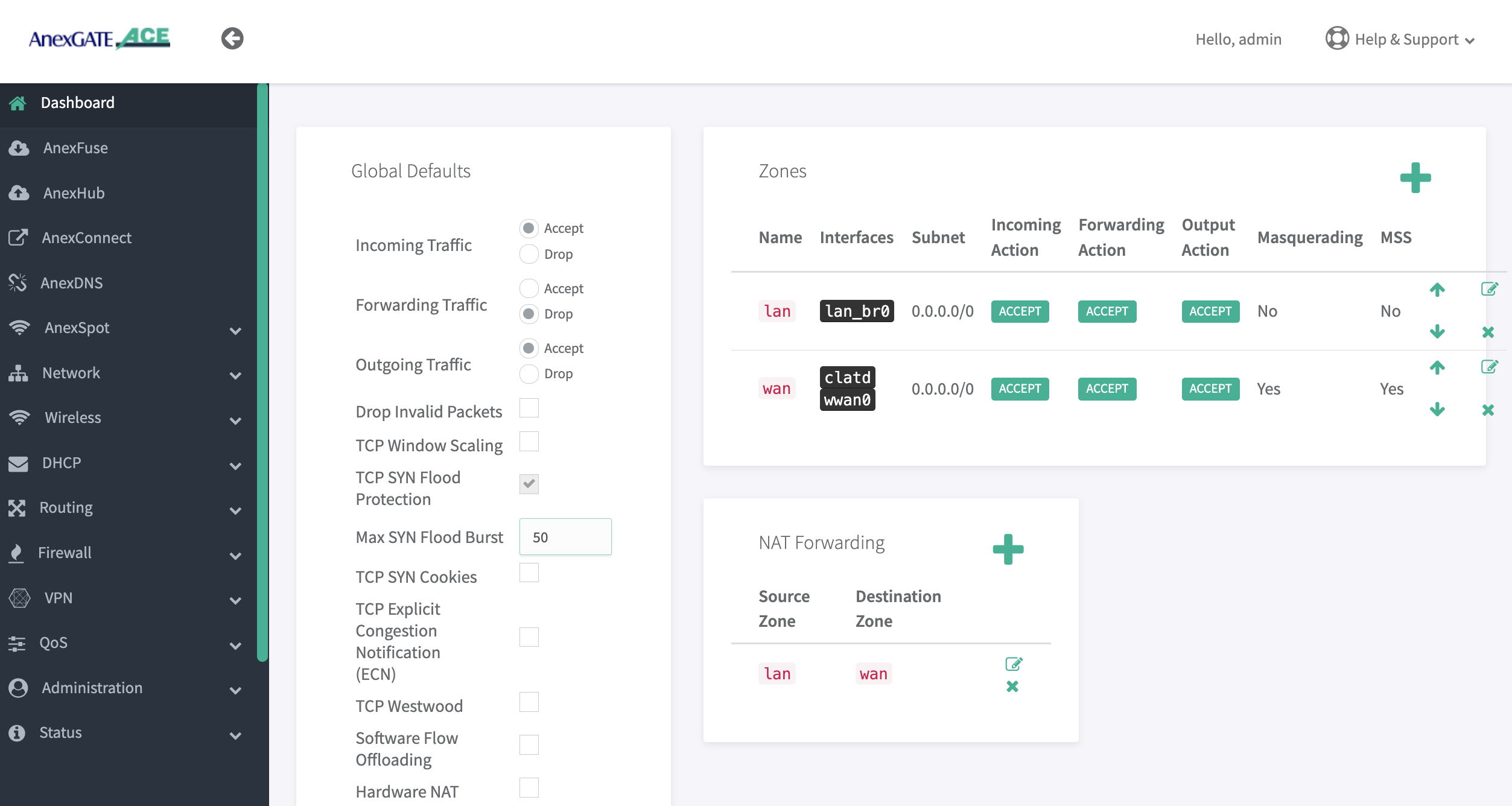
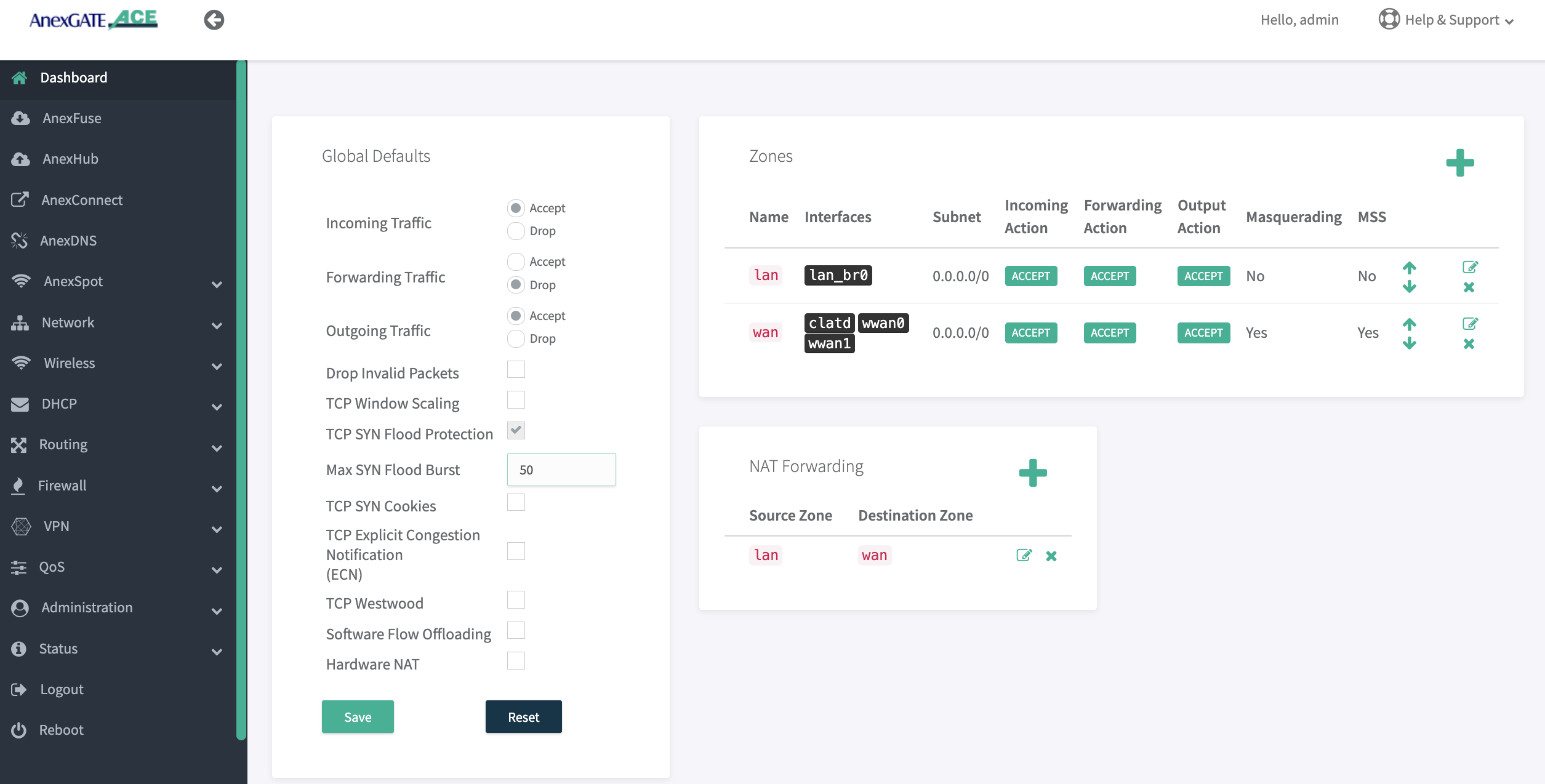
go to firewall > Zone select wan zone , add WWAN0 sim interface and CLATD interface in wan zone , and make sure that all
INCOMING, FORWARDING, OUTPUT action should be accepted and mss, masquerading should be yes, in nat LAN to WAN should be accept
--------------------------------------------------------------------------
¶ trouble shoot
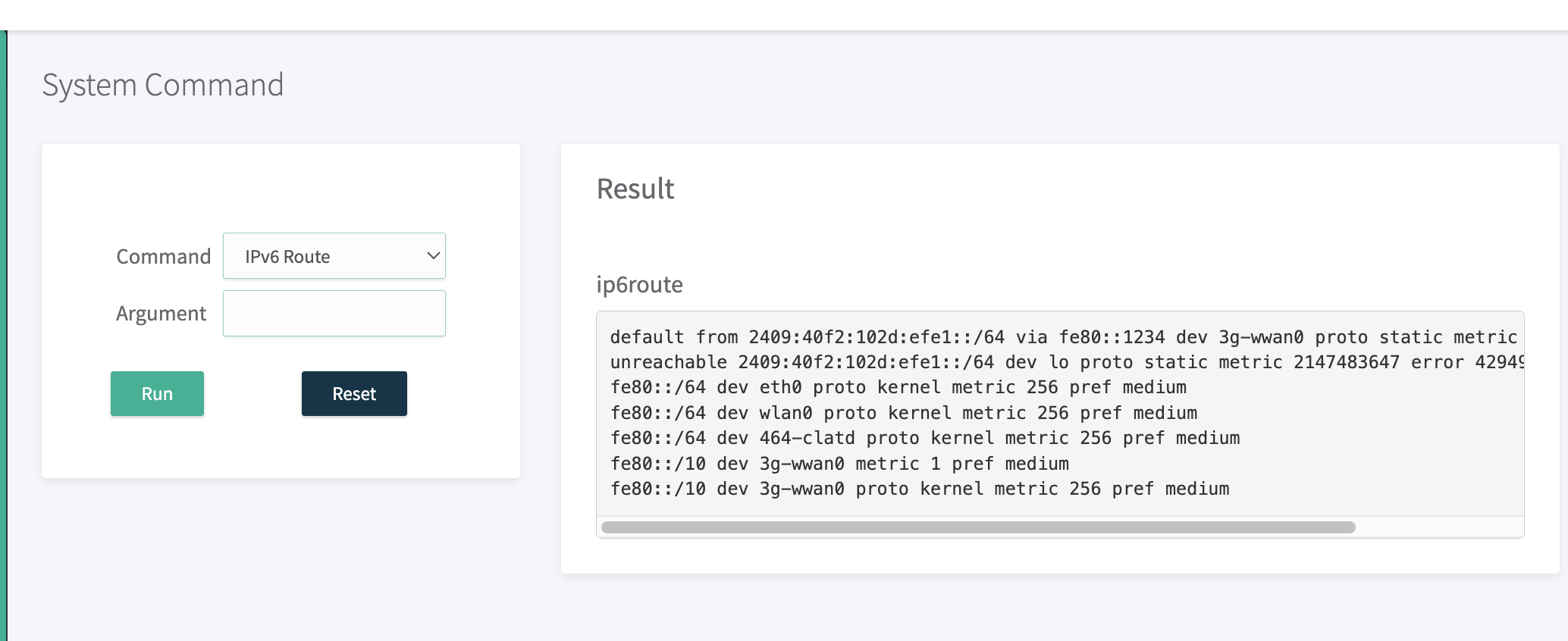
go to status > System command > select Ipv6 route, default route should be sim1 wwan0 router
------------------------------------------------------------------
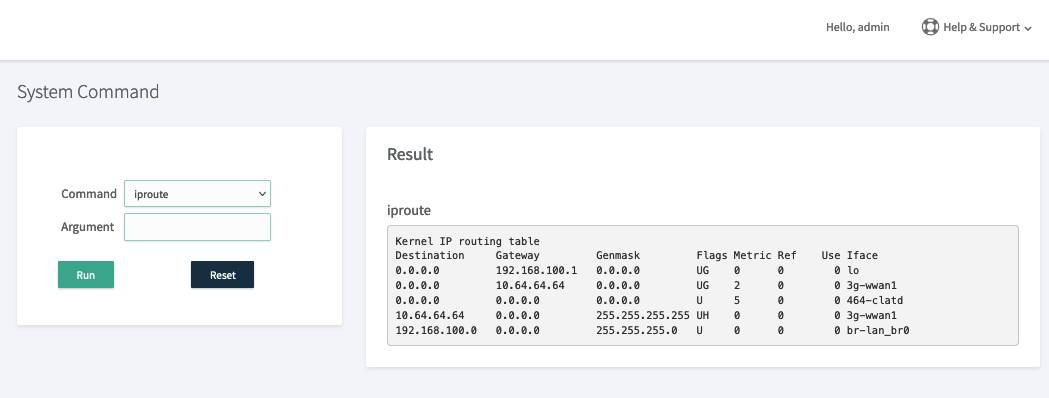
go to status > System command > select iproute, default route should be clatd 464-clatd route
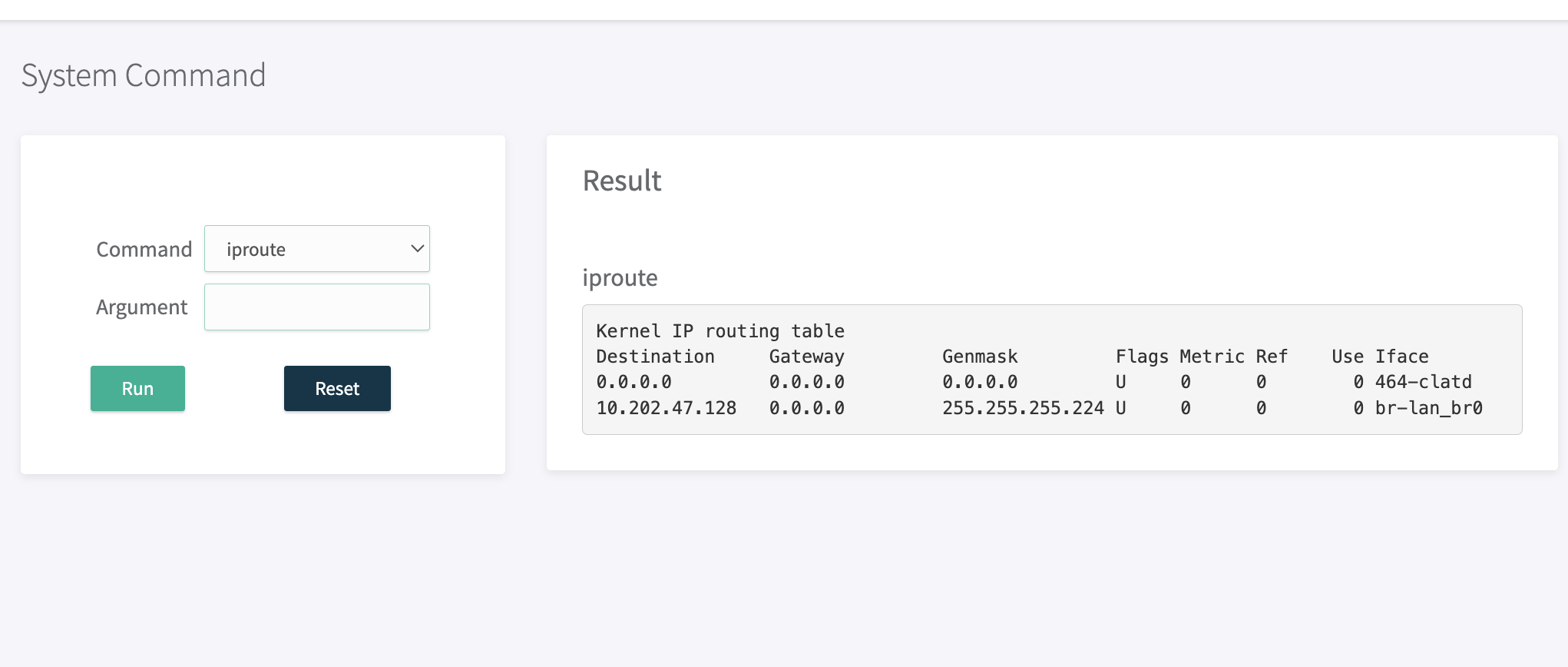
--------------------------------------------------------------------
make ping from router it will ping from clat interface
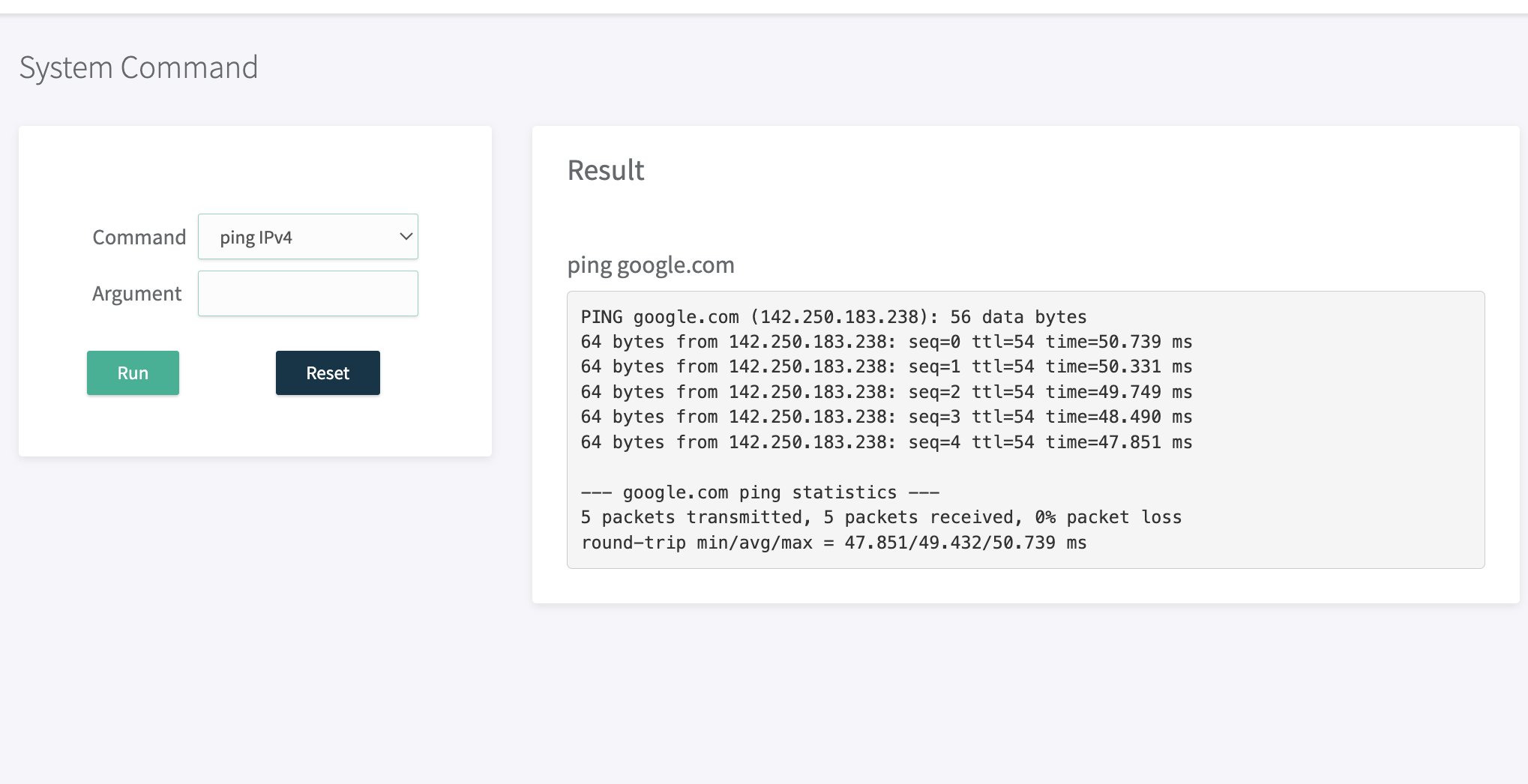
--------------------------------------------------
trace route from LAN machin shown bellow
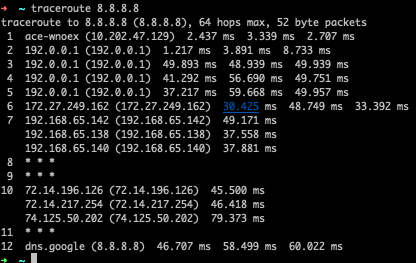
¶ SIM1 IPv6 & sim2 IPv4, load balancing config
¶ Extracting ipv6 SIM DNS
check ipv6 sim DNS ( ex. find Jio sim DNS server )
enable IPv6 sim first (ex sim1 )
Go to Network > SIM > enable sim1 with network type IPv6

------------------------------------------------------------------------
one you done then go to Status > System Command > System current DNS , if you getting ipv6 dns then no issue ,
else you not getting any DNS then disable sim ones and enable with select DNS on network config then you will get DNS

ones you get DNS please not it down DNS server address ex above DNS server is 2405:200:800::11
------------------------------------------------------
¶ DNS config
Go to Network > DNS > you have to add both ipv4 and ipv6 DNS , you have to keep IPv6 DNS as first priority , and ipv4 dns as a second priority , how to take Ipv6 DNS server address we shown above , our DNS is 2405:200:800::11
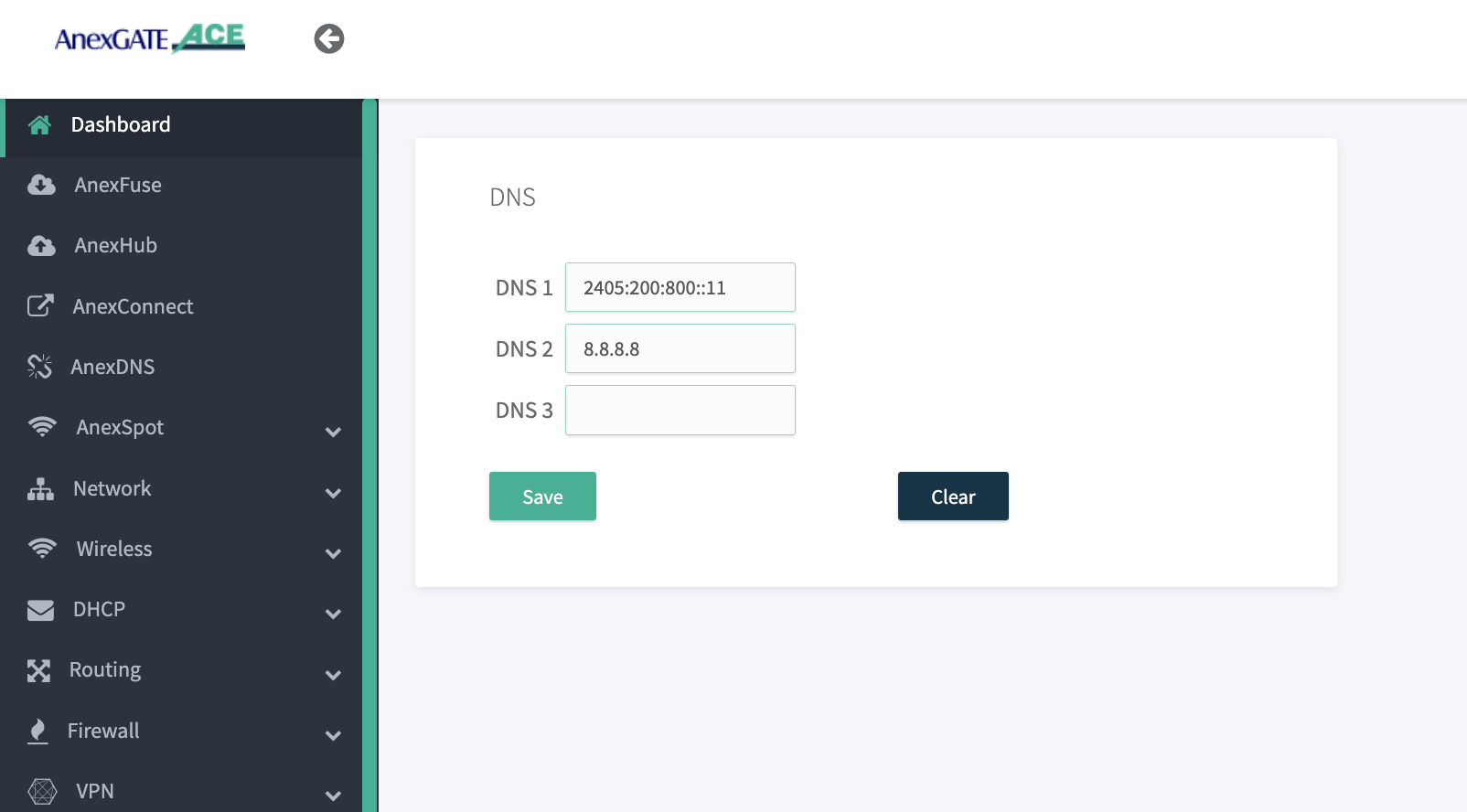
¶ 2 SIM load balancing configuration
¶ Network Configuration
disable all wan interface first , enable all wan or sim interface ones by ones and give metric to every interface on router
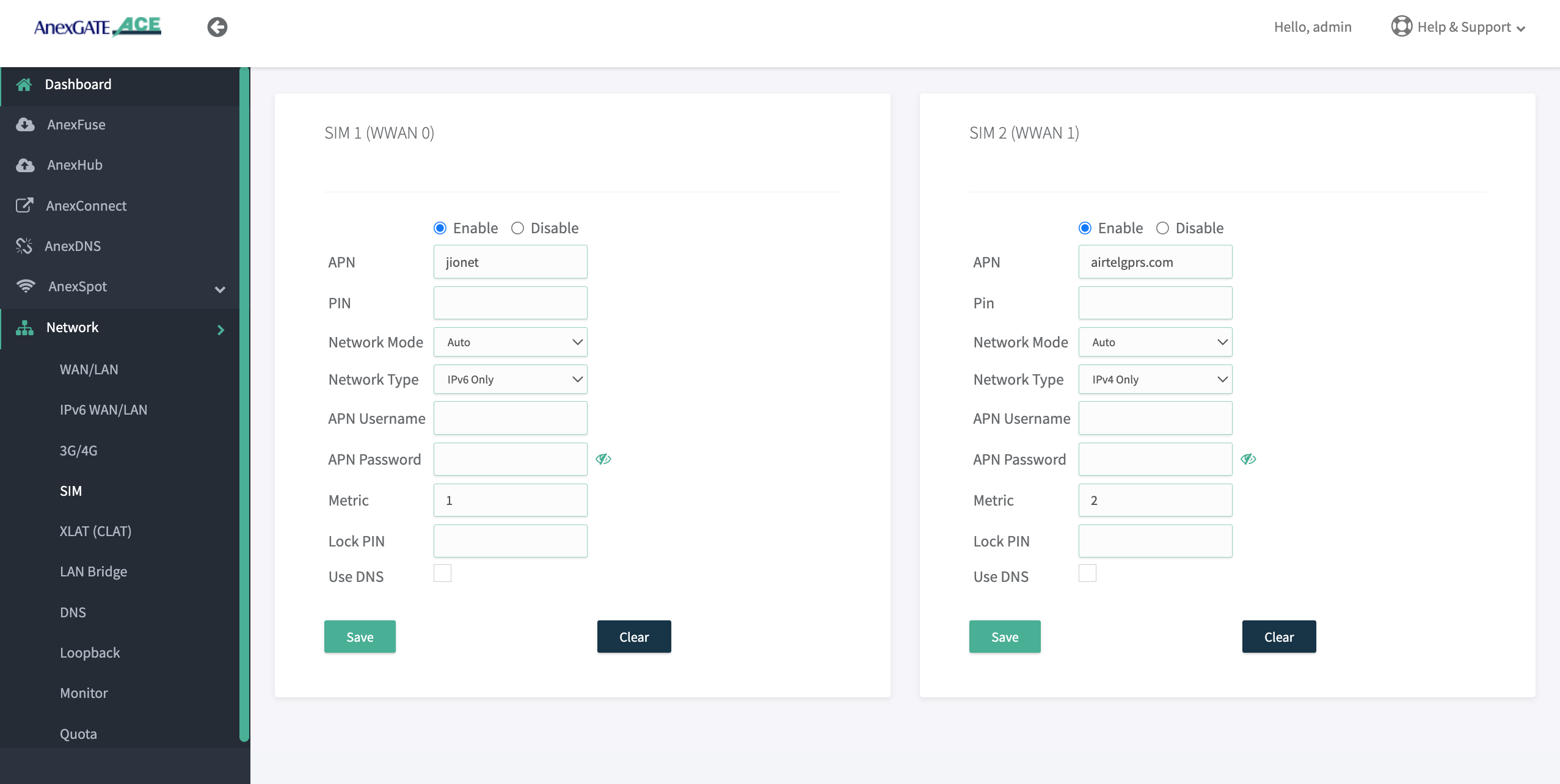
Go to > network > SIM enable sim 1 with network type ipv6 and enable sim2 with network type IPv4 enable both sim interface with different metric don't select Use DNS option
------------------------------------------------------------------------------
¶ CLAT configuring
ones you done Make config CLAT: The source address/port is translated from Ipv4/port1 to Ipv6/port1. However, the payload does not contain IP or port information, Note:-make sure that PLAT should be enable at Internet provide side then only clat interface will create in ACE
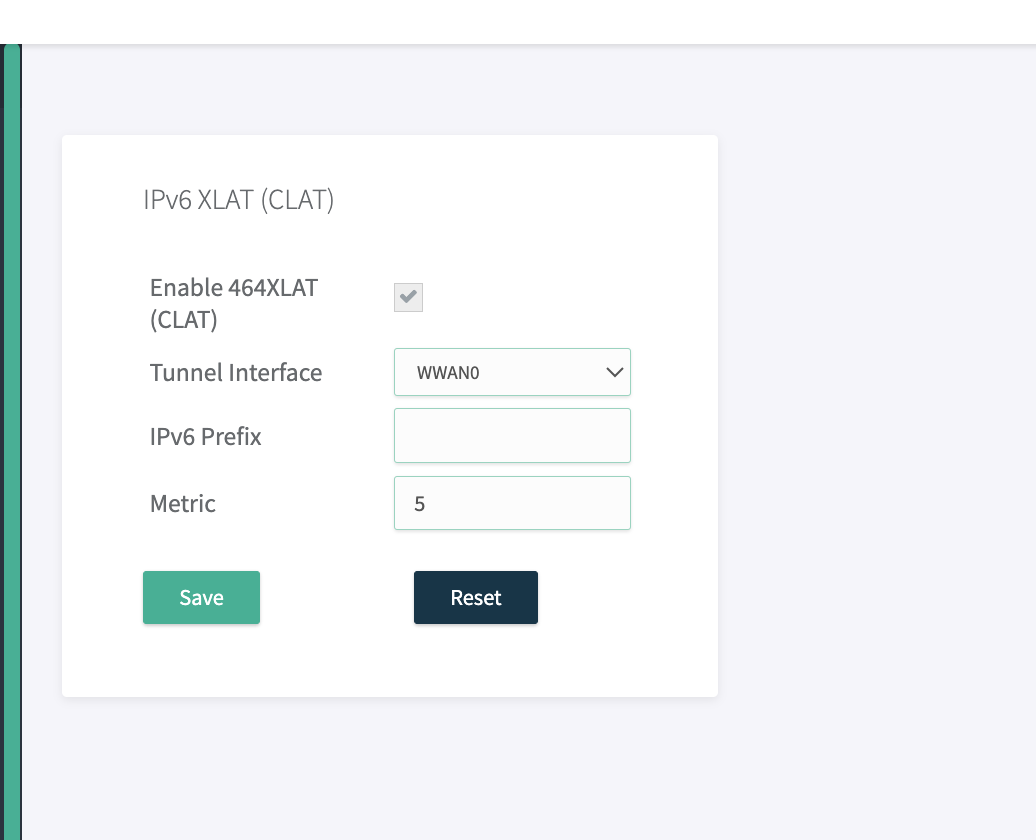
Go to network > XLAT(CLAT) enable clat with selection of ipv6 sim interface with different metric
---------------------------------------------------------------------------------------------
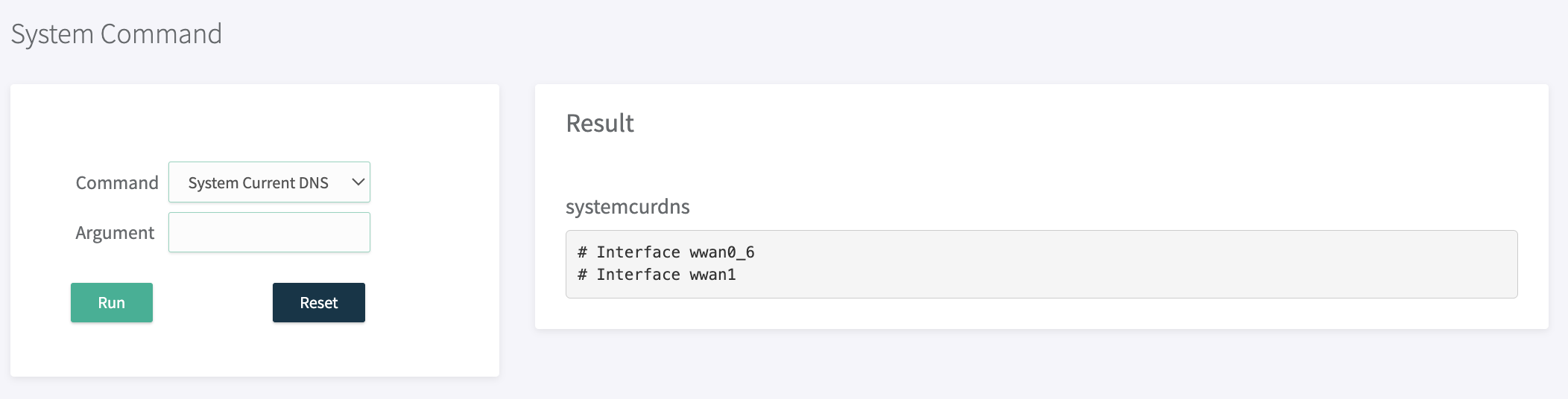
one you done SIM config then go to status > system command > select System current DNS , in this you should not get any dns then its proper config ,
note if you getting any dns in this block then you have to go to network on that wan or sim interface and disable it ones and again enable it make sure that use DNS is not selected ,
---------------------------------------------------------------------------------
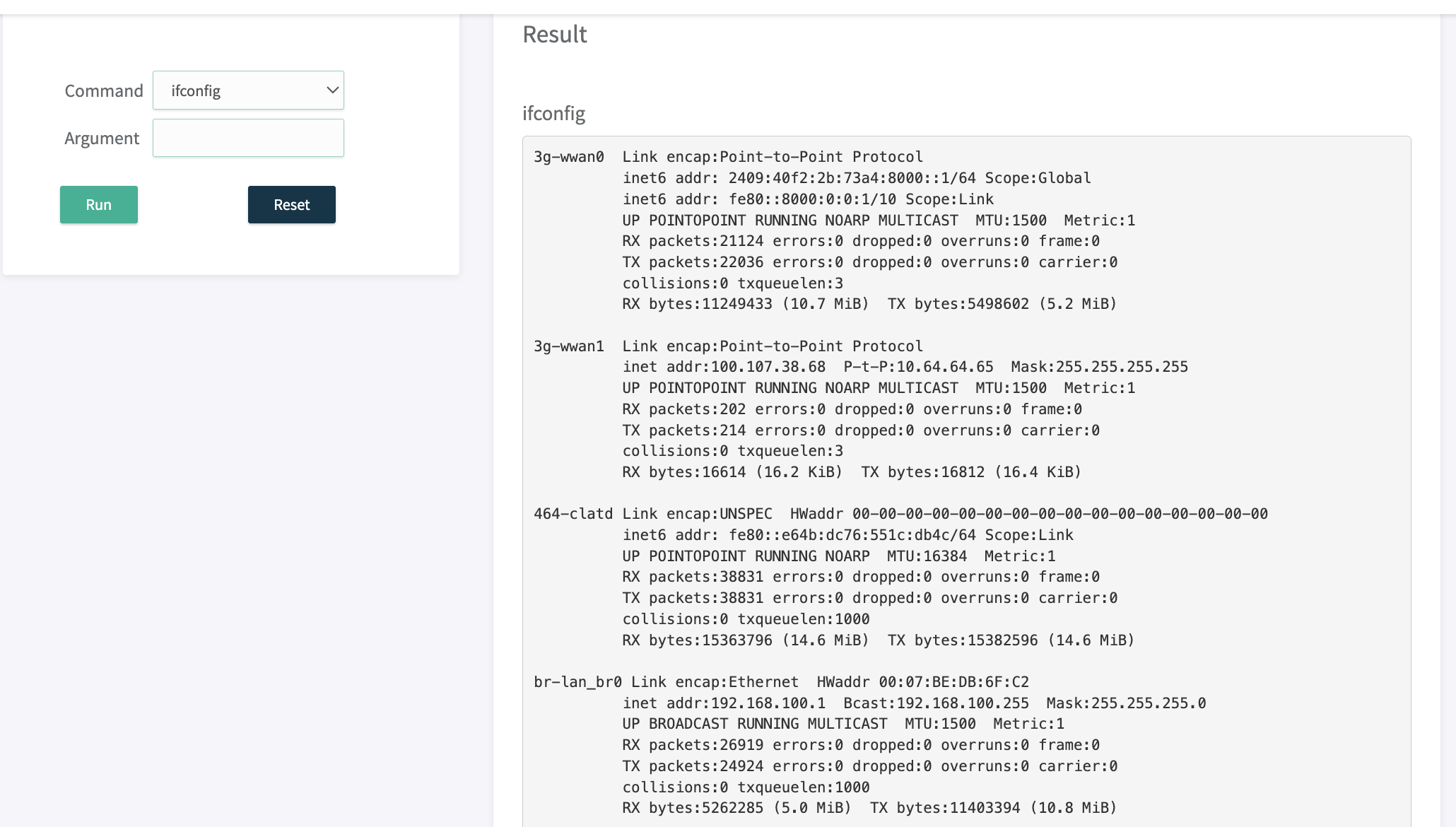
Go to status > System command > ifconfig Run, then you will get sim1,sim2 and clat interface status
ones config done go to status > system config > selcect command “”ifconfig" RUN you will see 464-clatd interface , and WWAN1 ,WWAN0 interface with IPV6 address then you will confirm that WWAN0 is up and clat created properly, also wwan1 us ip with ipv4 address
if you are not getting IPV6 address with sim interface (Ex. wwan0) then reboot device ones and check you will get ip details
If you not getting 464-clatd interface then go to Administration > Services > restart Networking , then you will get 464-clatd config
-------------------------------------------------------------------------
¶ Firewall configuring
Go to Firewall > Zone > edit wan zone in that you have to select all both sim interface with wwan0 , wwan1, and clatd, make sure that Incoming , forwarding, output action-should be accept , and mss, masquerading both should be yes
¶ Multi wan configuration
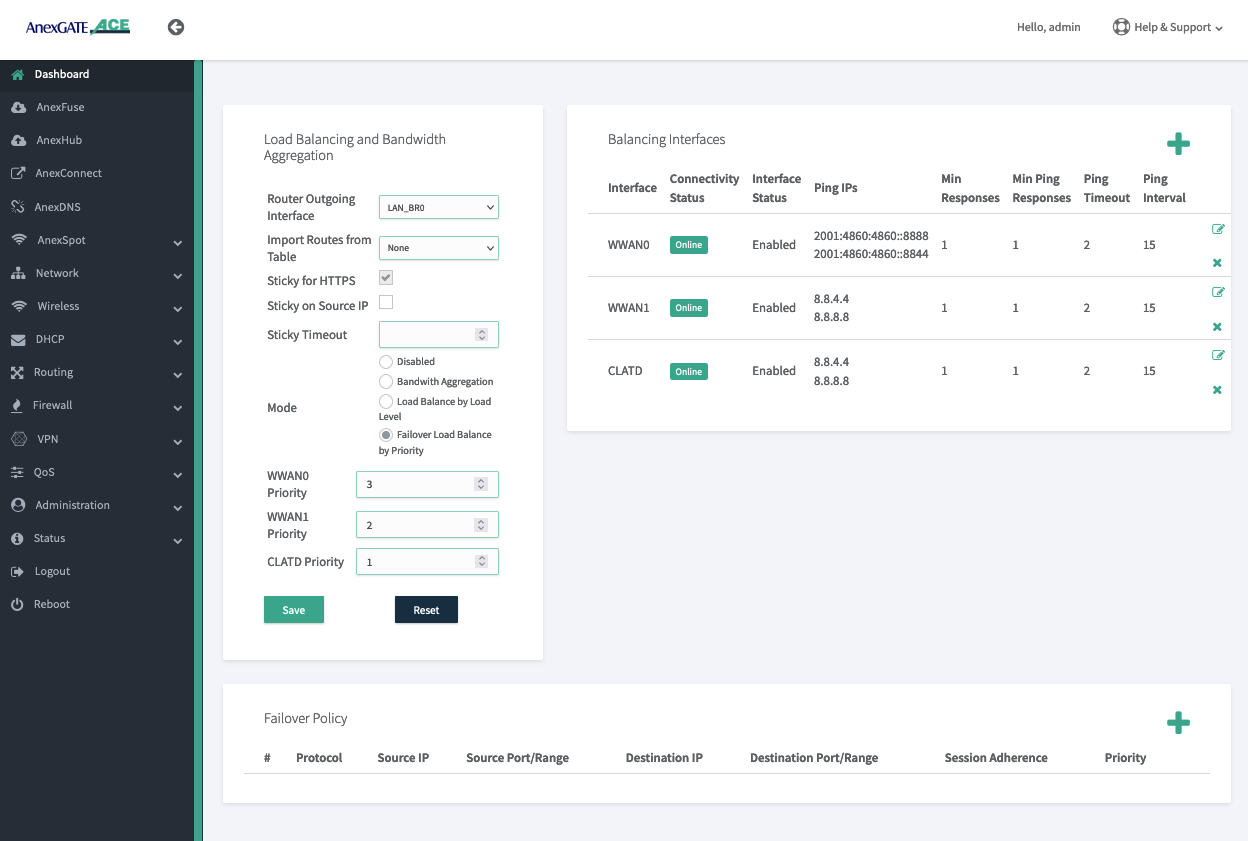
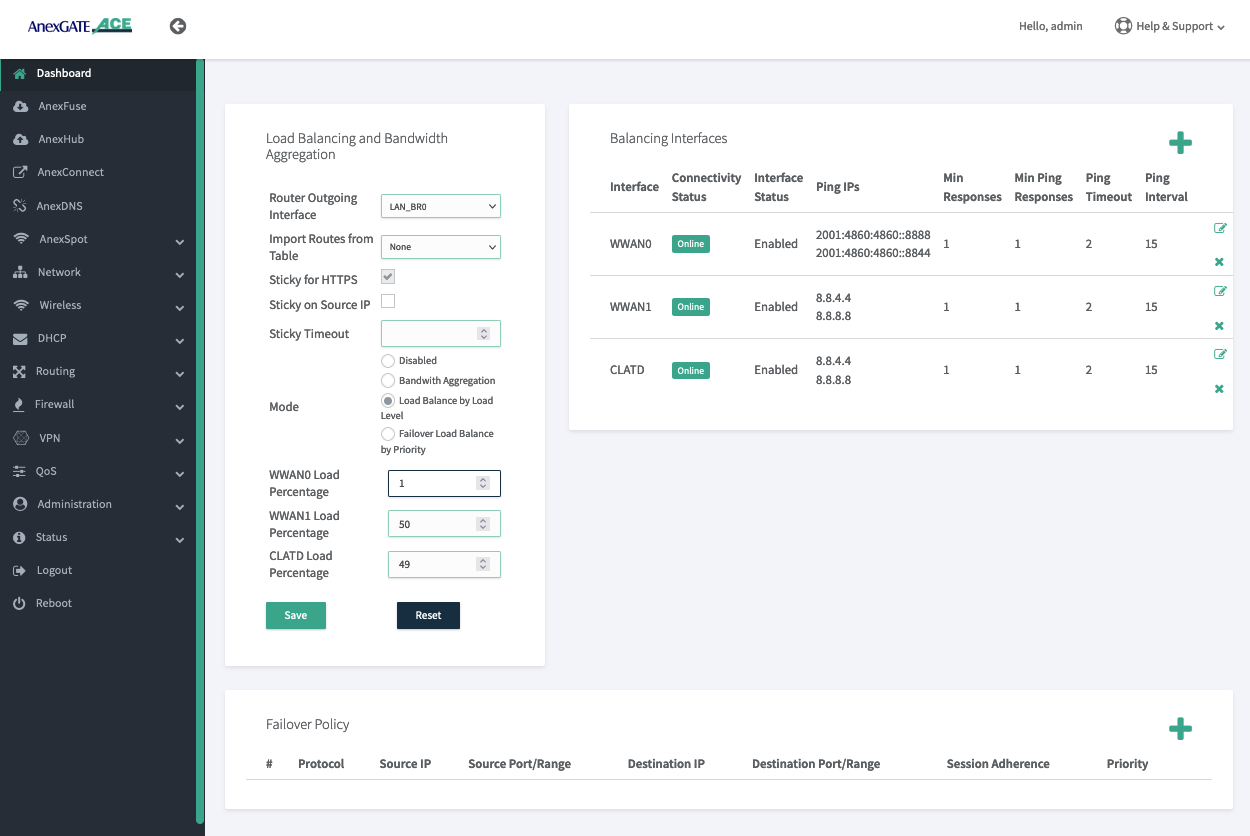
in Multi-wan either we can do fail over or load balance by load level
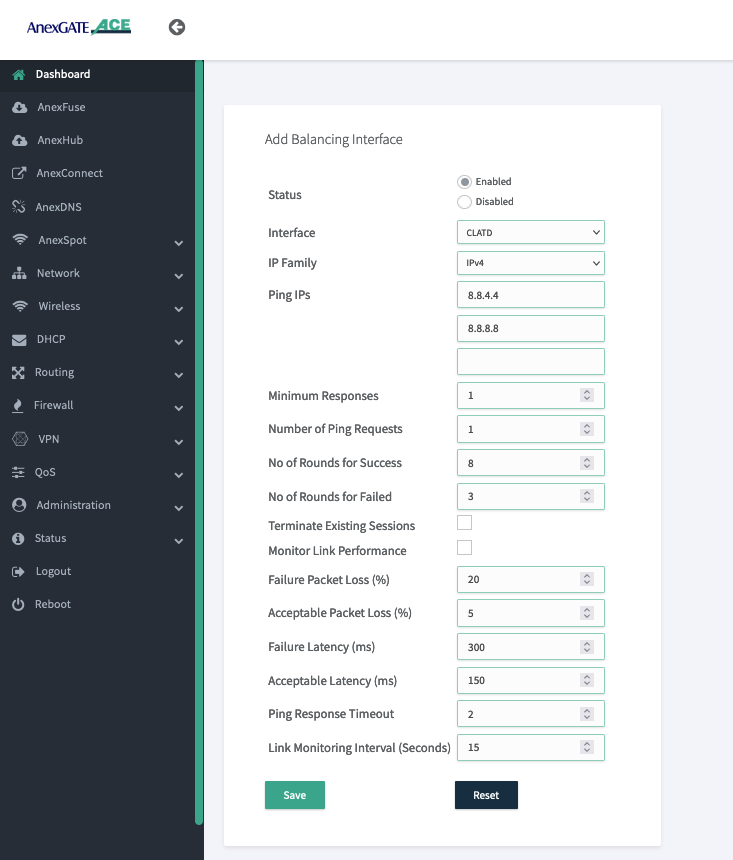
if we using sim1 ipv6 sim and sim2 ipv4 sim then we will configure total 3 interface in multi wan (sim1+clatd ) + sim2, all configuration are shown bellow
----------------------------------------------------------------------------------------------
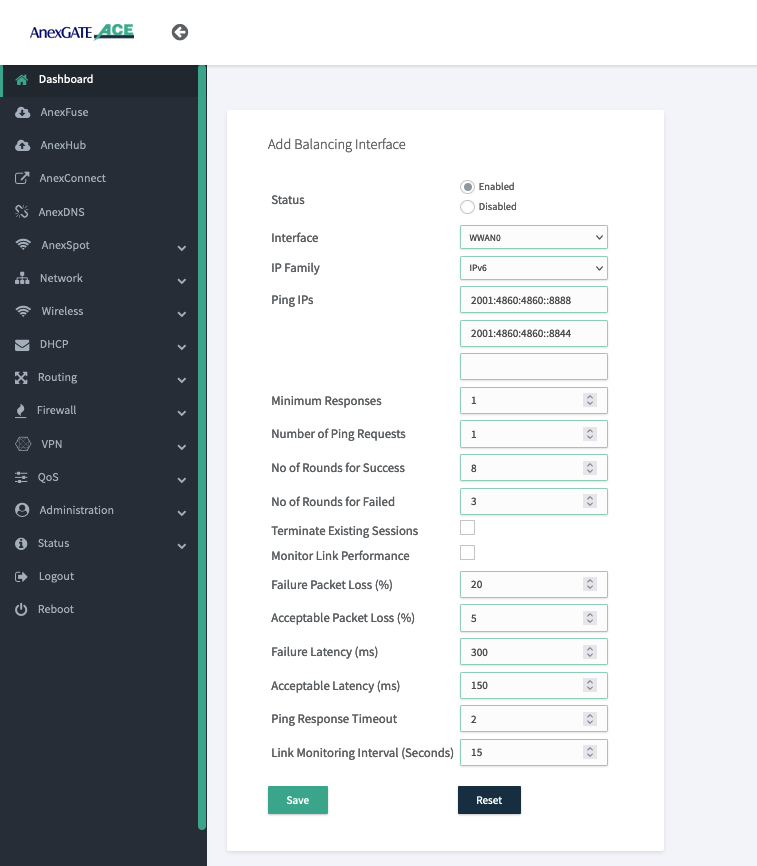
for sim 1 we have ipv6 then we have to add ipv6 tracking
-------------------------------------------------
for sim 1 we have to create clatd interface 464-clatd with tracking ipv4 address
----------------------------------------------------
for sim 2 we have ipv4 then we have to add ipv4 tracking ips
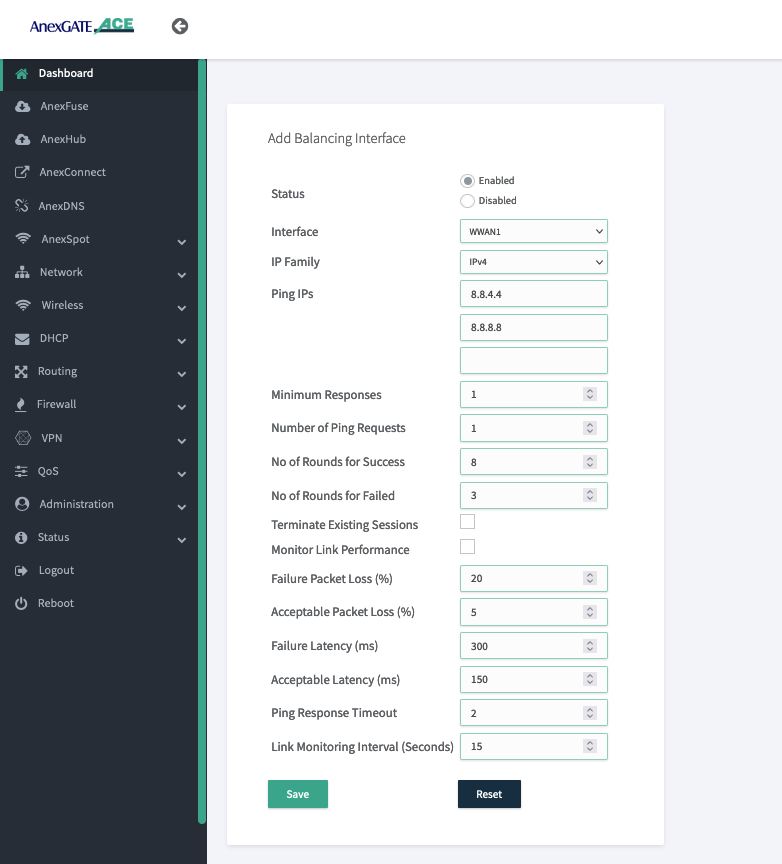
Note : ones configuration done make sure that your all interface should be show online in balancing interfaces
----------------------------------------
¶ troubleshooting
ones multi wan config done check routing status of router, local LAN route should be at top and other wan interface should have some metric
----------------------------------------
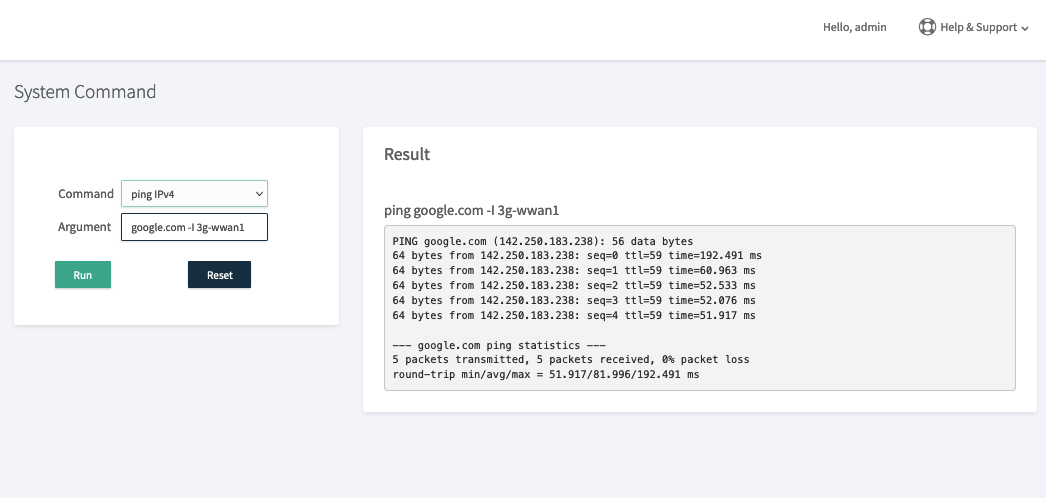
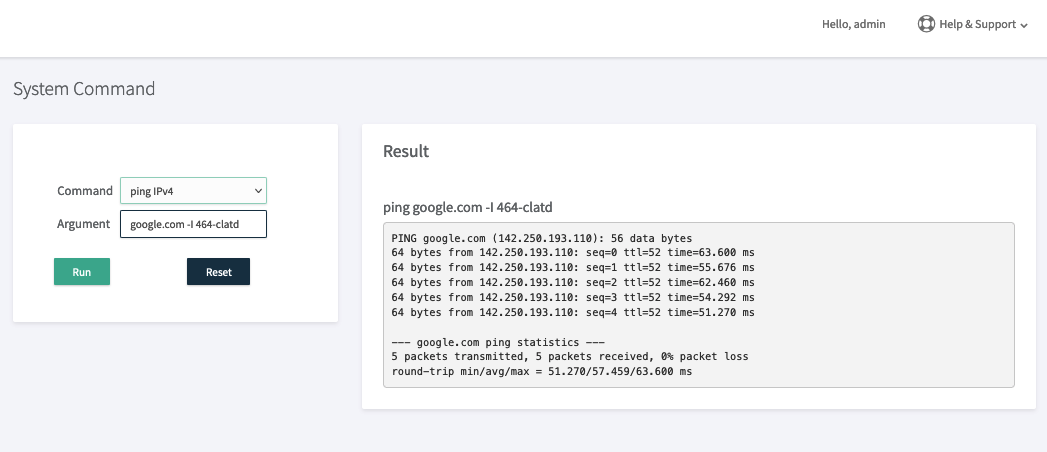
make ping google.com,
also shown individual ping from interface
--------------------------------------------------
device in fail over mode , primary clatd , second sim2 then trace router from local machine shown bellow